Before publishing: replace the [bracketed] project facts and the results with real, verified details from the project, and remove this note. Never publish results that were not measured.
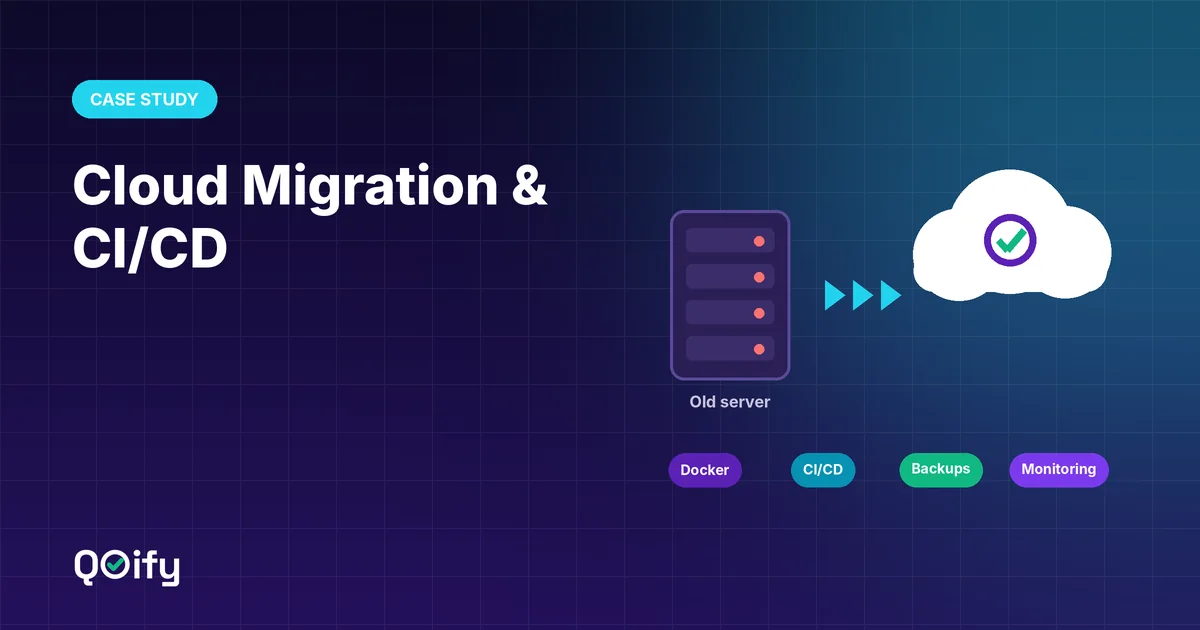
A growing SaaS business ran its web application on a single server that had been set up by hand years earlier. Releases meant copying files over FTP late at night, backups were never tested, and the site slowed down or went offline whenever traffic spiked. We migrated the application to the cloud and introduced CI/CD, automated backups and monitoring, so releases became routine and the platform could grow without drama.
Project at a glance
| Detail | Value |
|---|---|
| Client | [Client name or industry, e.g. "A B2B SaaS company"] |
| Application | PHP/Node.js web application with a MySQL database and file storage [edit to match] |
| Scope | Infrastructure audit, cloud architecture, migration, CI/CD, backups, monitoring, security hardening |
| Timeline | [X] weeks, with a planned cut-over of under [X] minutes |
| Tech stack | AWS · Docker · GitHub Actions · Nginx · MySQL (managed) · Cloudflare CDN · Terraform |
The challenge
- Manual, risky releases. Deployments were done by hand over FTP, out of hours, by one person who knew the steps.
- A single point of failure. One server ran the web app, database and files; any problem took everything down.
- Untested backups. Backups existed, but nobody had ever restored one.
- Slow under load. Campaigns and month-end usage caused slow pages and timeouts.
- No visibility. Problems were usually reported by customers before the team noticed.
- Security debt. Outdated packages, shared passwords and open server ports.
Our approach
1. Audit and plan
We documented the existing server, dependencies, data, traffic patterns and costs, then designed a target architecture and a step-by-step migration plan with a rollback at every stage.
2. Cloud architecture
- Application packaged in Docker containers so development, staging and production behave the same
- Managed MySQL with automated backups and point-in-time recovery
- Uploaded files moved to object storage
- Cloudflare CDN and web application firewall in front of the site
- Separate staging and production environments
- Infrastructure defined as code with Terraform, so it can be rebuilt reliably
3. CI/CD pipeline
Every change now follows the same automated path in GitHub Actions:
- Build the container image
- Run automated tests and code checks
- Scan dependencies for known vulnerabilities
- Deploy to staging for review
- Deploy to production with one approval, using a rolling update so users see no downtime
- Roll back automatically if health checks fail
4. Migration with minimal downtime
We rehearsed the migration on staging, synchronised the database and files in advance, lowered DNS time-to-live values, and switched traffic during an agreed low-traffic window. The old server stayed available as a fallback until the new platform was confirmed healthy.
5. Backups, monitoring and security
- Daily automated backups with a tested restore procedure
- Uptime, error and performance monitoring with alerts to the team
- Centralised logs
- Secrets moved out of code into a secrets manager
- Least-privilege access, multi-factor authentication and closed public ports
Results
[Replace with measured results from the project, approved by the client. Useful measures:]
- Deployment frequency: from [X per month] to [Y per week]
- Time to deploy: from [X hours] to [Y minutes]
- Uptime: [X]% over [period]
- Page response time: improved by [X]%
- Restore test: full database and file restore completed in [X] minutes
- Monthly hosting cost: [change]
Lessons learned
- Rehearse the migration. A full dry run on staging removes most surprises from cut-over day.
- A backup is only real once it is restored. Test restores on a schedule.
- Automate the boring parts first. A simple pipeline that builds, tests and deploys pays back immediately.
- Monitor before you need it. Alerts should reach the team before customers notice.
Thinking about moving to the cloud?
Talk to our team about cloud migration, CI/CD and DevOps for your application. Read our guide: What is CI/CD?